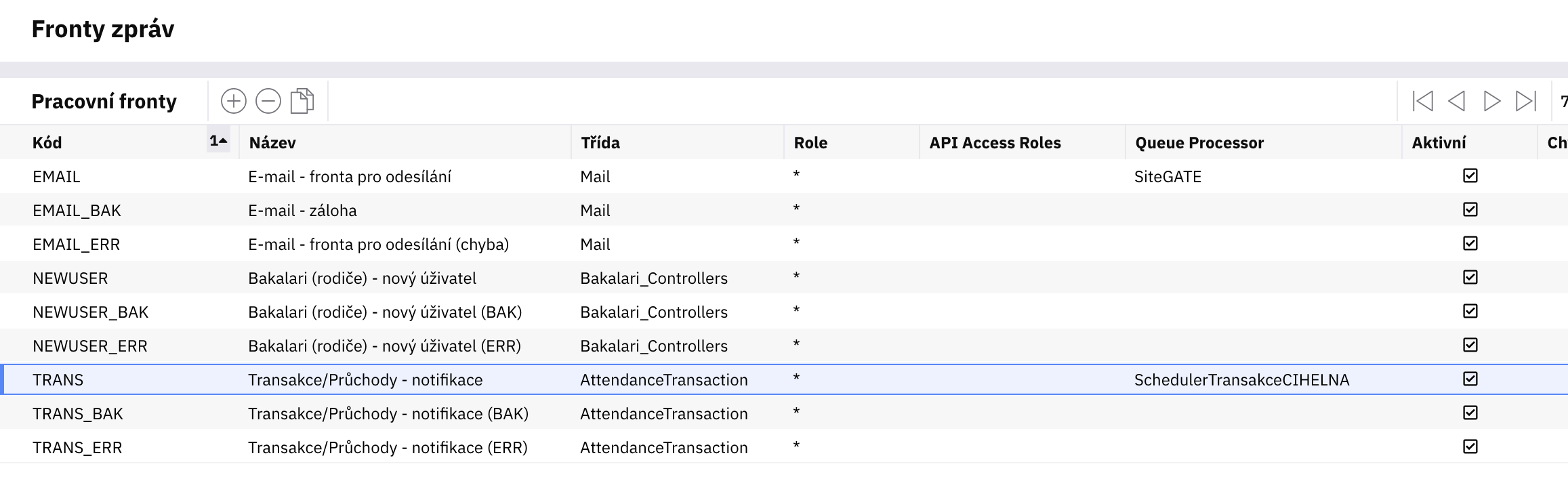
I user WorkQueueClass Mail in WorkQueue and command Send in WorkQueue definition.
When email is being sent using such a queue, first time after IIS pool recycle it is sent just fine. But any other email, eventhough the same body, recipient and other parameters is not sent and there is an error raised in WorkQueue message and log file that shows this
2026-02-02 22:21:57,486 [14] ERROR Origam.Workflow.WorkflowEngine - ServiceMethodCallTask SendEmailFromQueue\Send failed.
2026-02-02 22:21:57,503 [14] FATAL Origam.Workflow.WorkQueue.WorkQueueService - Queue item processing failed. Id: 4e2eb916-c752-4eba-acb8-8fe40e799d39, Queue: E-mail - fronta pro odesílání
Origam.OrigamException: The type initializer for 'Origam.Mail.MailServiceFactory' threw an exception.
 ---> Origam.OrigamException: The type initializer for 'Origam.Mail.MailServiceFactory' threw an exception.
 ---> System.TypeInitializationException: The type initializer for 'Origam.Mail.MailServiceFactory' threw an exception.
 ---> System.IO.FileNotFoundException: The configuration file 'appsettings.json' was not found and is not optional. The expected physical path was 'C:\Windows\system32\appsettings.json'.
   at Microsoft.Extensions.Configuration.FileConfigurationProvider.HandleException(ExceptionDispatchInfo info)
   at Microsoft.Extensions.Configuration.FileConfigurationProvider.Load(Boolean reload)
   at Microsoft.Extensions.Configuration.FileConfigurationProvider.Load()
   at Microsoft.Extensions.Configuration.ConfigurationRoot..ctor(IList`1 providers)
   at Microsoft.Extensions.Configuration.ConfigurationBuilder.Build()
   at Origam.Mail.MailServiceFactory..cctor() in D:\a\1\s\backend\Origam.Mail\MailServiceFactory.cs:line 31
   --- End of inner exception stack trace ---
   at Origam.Mail.MailServiceFactory.GetMailService() in D:\a\1\s\backend\Origam.Mail\MailServiceFactory.cs:line 43
   at Origam.Workflow.MailServiceAgent.Run() in D:\a\1\s\backend\Origam.Workflow\Service Agents\MailServiceAgent.cs:line 73
   at Origam.Workflow.Tasks.ServiceMethodCallEngineTask.OnExecute() in D:\a\1\s\backend\Origam.Workflow\Tasks\ServiceMethodCallEngineTask.cs:line 230
   at Origam.Workflow.ProfilingTools.<>c__DisplayClass4_0.<ExecuteAndLogDuration>g__FuncToExecute|0() in D:\a\1\s\backend\Origam.Workflow\ProfilingTools.cs:line 84
   at Origam.Workflow.ProfilingTools.ExecuteAndLogDuration(Func`1 funcToExecute, String logEntryType, String path, String id, Func`1 logOnlyIf) in D:\a\1\s\backend\Origam.Workflow\ProfilingTools.cs:line 128
   at Origam.Workflow.ProfilingTools.ExecuteAndLogDuration(Action action, String logEntryType, String path, String id, Func`1 logOnlyIf) in D:\a\1\s\backend\Origam.Workflow\ProfilingTools.cs:line 87
   at Origam.Workflow.Tasks.ServiceMethodCallEngineTask.Execute() in D:\a\1\s\backend\Origam.Workflow\Tasks\ServiceMethodCallEngineTask.cs:line 73
   --- End of inner exception stack trace ---
In appsettings.json I obviously have MailConfig section with all neccessary properties fulfilled. In ORIGAM version 2025.4.x I never had this kind of problem.
Thank you for your reply. Appsettings.json resides in its usual position in ORGAM server root directory. I tested more SMTP servers and all of them (3 actually) behave the same.
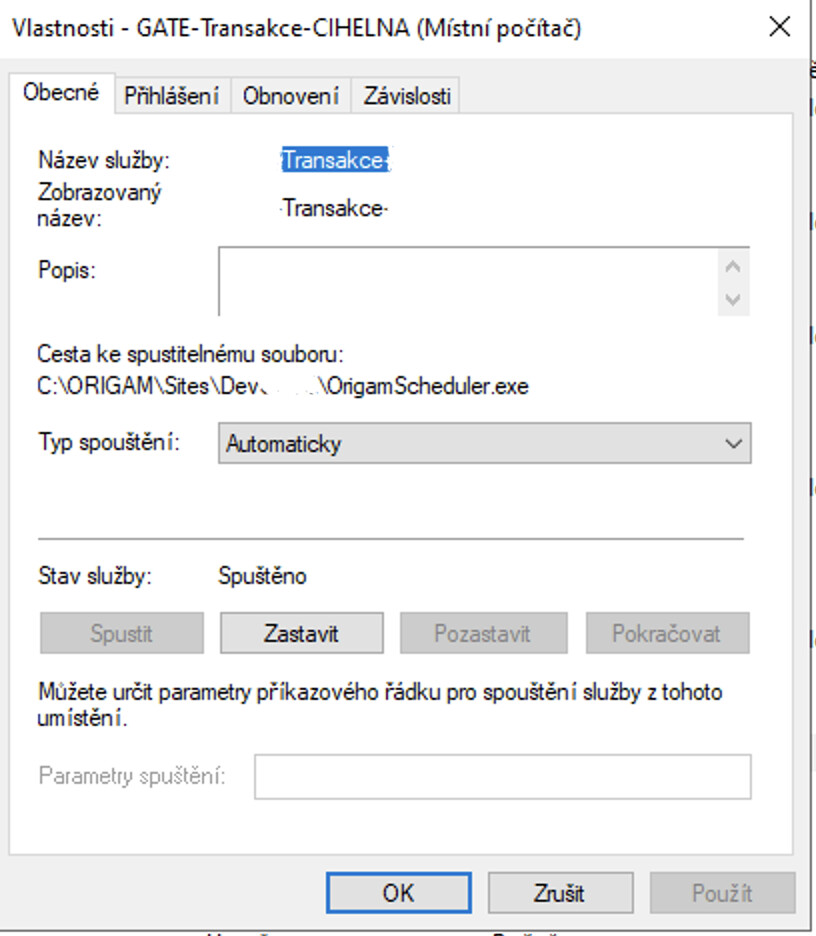
Very. I do not know where is it taken from. OrigamScheduler that I am using to run one WorkFlow regularly is installed from Origam Server root directory and displays correct path.
Yes. Exactly. Log is from the Origam server log file and queue is not processed by Scheduler. Scheduler is only used to run every 5 minutes workflow that generates records to the queue. Queue itself is process automatically by Origam server.
How did you install Scheduler? It cannot be installed using IIS but you say
That does not make much sense.
How did you install Scheduler?
Did it work before and now it broke or is it the first time you installed Scheduler and it does not work from the start?
Is work queue processing turned on only on 1 instance? (If scheduler is installed, is it turned on on the backend server and turned off on Scheduler etc.?)
It seems to me you have problems with Scheduler installation. It is important to know how it was installed because it seems it was not installed correctly.
As it is first time installation it did not work before. But according to my testing I might not be problem of the Scheduler itself. It behaves the same when I run the workflow from the Architect manually.
When the scheduler service is up and ruunning the workqueue processing is turned on for the Origam server instance in OrigamSettings.config by <AutoProcessWorkQueues>true</AutoProcessWorkQueues>
Actually the process works the way Scheduler only processes 1 workflow e.g. Transakce that creates rows in WQ_Transakce. Then WQ_Transakce is autoproccessed (correctly btw) and generates all email parameters that are passed to WQ_Email of Mail WorkQueueClass that has the only purpose to process all records and send emails by command Send.
WQ_Transakce is always proccessed correctly and thus I assume, Scheduler works just fine. The error happens when WQ_Email is proccessed.
Sorry for long answer, but this description reveals the behaviour in deatail and probably explains more where the error happens.
I don’t think you should have AutoProcessWorkQueues set to true for the Scheduler (or the Architect). As I don’t see how you further process rows in the WQ_Transakce queue, I can only speculate that you run a workflow, modify and save the data. With the Mail work queue, the situation is a bit more complicated. You not only process the data, but you also send them. The settings for mailing are in the appsettings.json file in section MailConfig. The Scheduler and Architect are standalone installations with limited functionality. There is no appsettings.json file with the mailing settings. When the process looks for the mailing details, it can’t find the file in the most logical folder, e.g. ‘C:\Windows\system32’, since it is run as a Windows service and it isn’t declared anywhere in the setup where the file is located.
The solution is to only process work queues with the server.
Thank you Zuzka. You were sort of right. Finally the solution was to set up QueueProcessor for each queue to stop processing all queues by both Origam server and also Scheduler service.