The dropdown with a list of all open editor tabs is missing. There is also no tooltip with the full element name when hovering over the tab.
Architect version 2026.9.0.4391
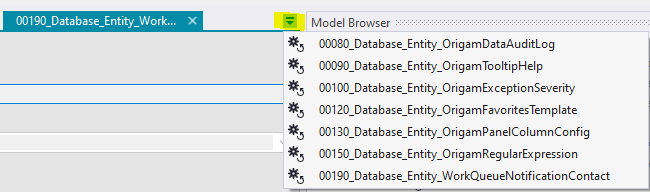


The dropdown with a list of all open editor tabs is missing. There is also no tooltip with the full element name when hovering over the tab.
Architect version 2026.9.0.4391
It’s not really missing. It is done differently - in HTML Architect you can slide right to left over the tabs and so you can see all of them next to each other. That wasn’t possible in dektop.
You are correct that all the opened tabs are visible, not restricted to the 6 or so as in the desktop Architect, but without the tooltip (or the dropdown), you have to click on every one of them to find the correct tab you want to work with. And the text length in the tab description is not even consistent.

Yes, it is not very easy to identify the tabs with such short tab titles.