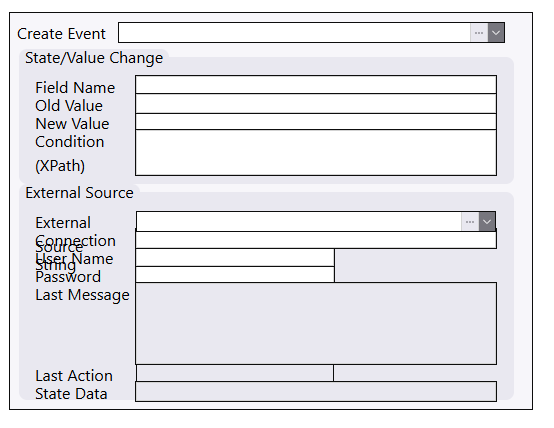
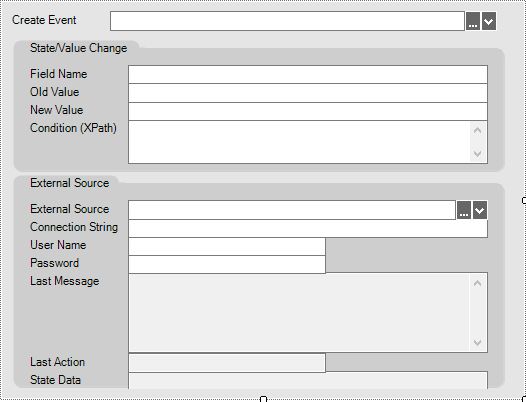
It is not possible to work with the screen section editor. The visual is completely different from the application. The design must be 1:1. There are no guidelines to check the alignment.
Architect version 2026.9.0.4391
It is not possible to work with the screen section editor. The visual is completely different from the application. The design must be 1:1. There are no guidelines to check the alignment.
Architect version 2026.9.0.4391
If I understand the problem correctly, there are three issues:
Once this is fixed, it would really be worth to add maybe screenshot tests with Playwright Visual comparisons | Playwright, so these problems don’t happen again
I don’t have capacity for the whole task, so maybe someone could take it. I can quickly fix the fonts, but that’s the only part I can take on right now
I would say issues 1 and 2 are connected. To be able to design a screen section, you need to have an idea of the real layout in the application. That isn’t possible without the editor being WYSIWYG.
The snap guidelines are a useful tool. You can design without them, but then you need to manually correct the pixel position and calculate distances which is very time consuming.