It should be possible to create folders, such as “Lookups” in Data Structures.
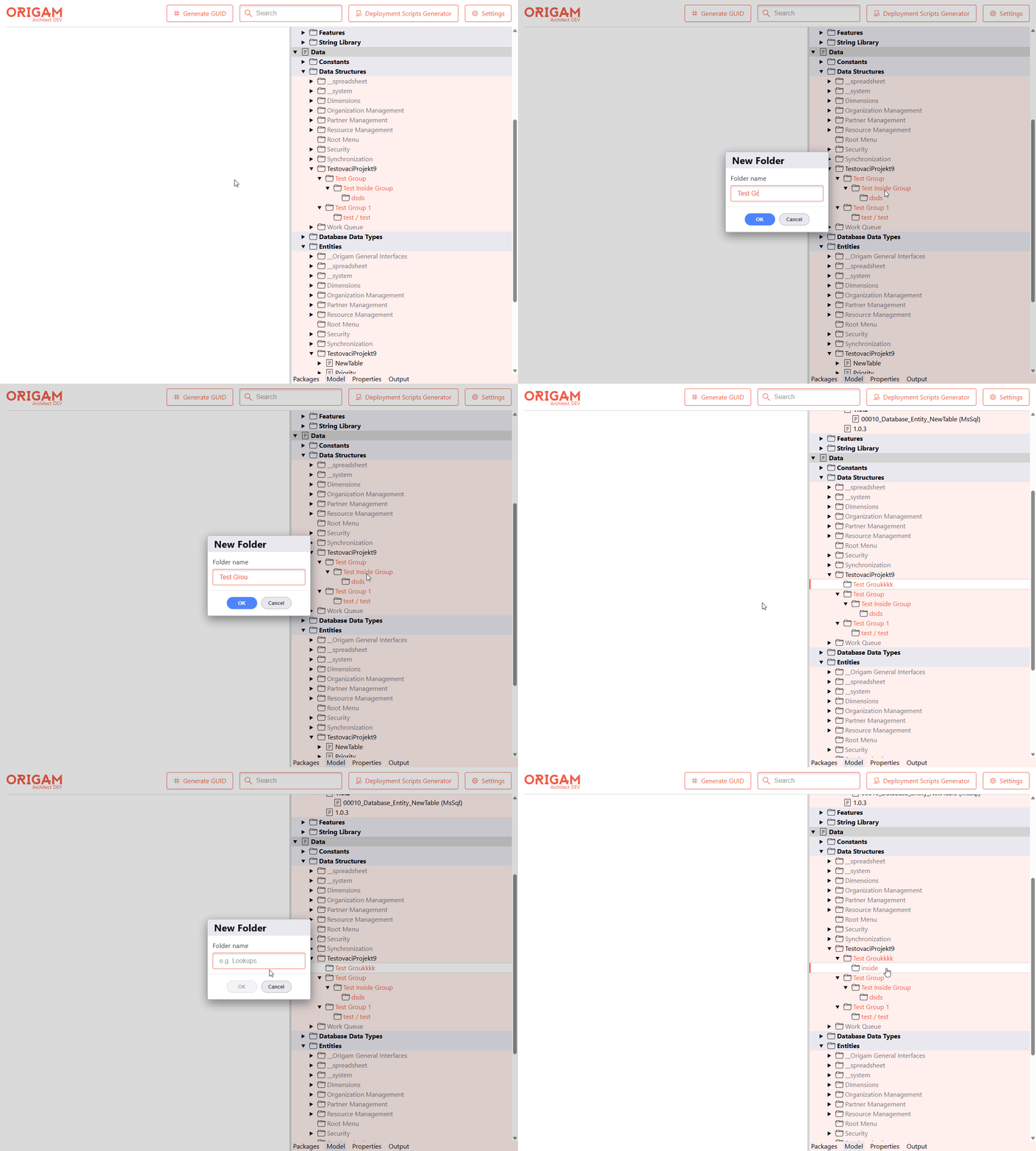
I added the ability to create folders (model item groups) directly in the model tree of the HTML Architect. Until now you could only see existing groups - there was no way to add a new one - so organizing things like a Lookups folder under Data Structures wasn’t possible from the new UI. Now you can right-click a provider node (e.g. Data Structures) or an existing folder, pick New Folder, give it a name, and it shows up right away.
How it works:
- Right-clicking a provider node or a folder shows a New Folder action; a small dialog asks for the folder name and creates a
SchemaItemGroupunder that node via a newPOST /Model/CreateGroupendpoint. - The name is validated live in the dialog: empty names keep the OK button disabled, names containing path separators (
/,\) are rejected (they would otherwise leak into the on-disk file path), and duplicate folder names at the same level are caught before anything is sent to the server. - Validation messages live on the frontend and go through the localization (
T(...)) layer, so they’re translatable; the backend keeps the same checks as a defensive net. - The backend
NewGroupauto-numbers a name when it’s a substring of a sibling (handy for the defaultNewGroupname, surprising for a typed one), so once the name is validated as unique I keep exactly what the user typed. - After creation the tree reloads that node’s children, expands it, and highlights the new folder so you can see where it landed (single reload, no double fetch).
Let me know if you run into any edge cases!
This topic was automatically closed 2 days after the last reply. New replies are no longer allowed.